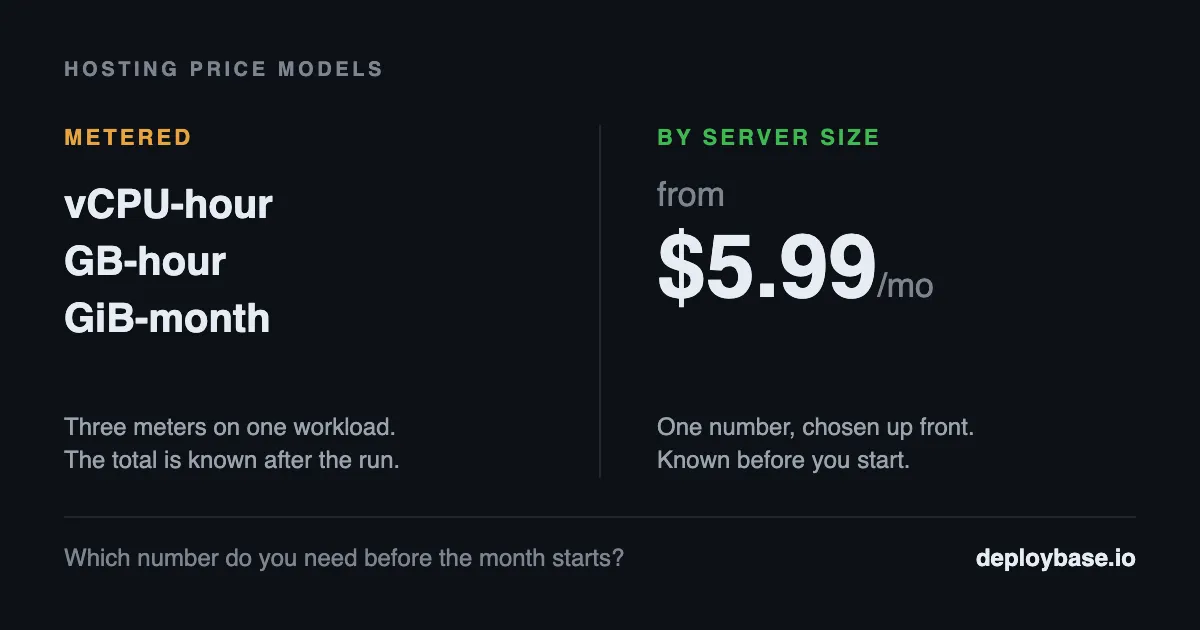
On 25 September, DigitalOcean announced Managed Agents, and with it a billing model that charges CPU by the second. If you run bursty workloads, that is good news. If you have to tell someone what next month will cost, it changes the question you are answering.
What DigitalOcean shipped
Managed Agents is in public preview — DigitalOcean's own wording is that it "entered public preview", and that Managed Agents and Simulations "are offered as public previews". It is described as bringing "sandbox, inference, and data as one runtime, built for tokens and bursty compute".
The isolation model is per session. In DigitalOcean's words, every session gets its own Firecracker microVM: "its own kernel, hardware-level isolation, sub-second starts, and ~300ms resumes". Tool access comes through "One managed MCP endpoint to 16,000+ tools across 500+ providers, from GitHub and Stripe to your own MCP servers".
The pricing, quoted from their announcement:
- CPU at $0.044 per vCPU-hour, billed per second of actual use
- Memory at $0.0095 per GB-hour
- Snapshots at $0.05 per GiB-month
Their framing is "you pay for the work, not the wait", and they are explicit about the corollary: "The waits in between cost $0 with active CPU billing."
For bursty work, this is the right shape
Say that plainly before anything else, because it is true. An agent run is mostly waiting — it thinks for a few seconds, waits on a network call or a human, then thinks again. Under a model that charges for wall-clock time, you pay for all of that waiting. Under per-second CPU billing, you do not. For a workload with that shape, being charged for the seconds you actually computed is simply more accurate, and a fixed monthly price would be the wrong instrument.
Nothing below is an argument against metered billing. It is an argument about a different question.
The trade: three meters, and the total arrives last
DigitalOcean publishes two costs for the same session, and the distance between them is the whole point. A default 2 vCPU, 4 GB session "costs $0.126 an hour fully allocated". And "at a typical 25% activity level it costs about $0.060".
Same machine, same hour, roughly a factor of two between the two figures — and which one you paid depends on how busy that session happened to be. That number exists only after the run.
Now count the meters on one workload: vCPU-hours, GB-hours, and GiB-months for snapshots. Each is reasonable on its own. Together they mean the monthly total is a function of three usage curves you do not control precisely and cannot know in advance. You can estimate it. You cannot state it.
It would be easy — and unfair — to multiply either figure by 730 hours and present the result as a monthly bill. That number would be fiction, because bursty work is not around-the-clock work, which is exactly why the metered model suits it. The honest version of the problem is narrower and harder to dismiss: you can forecast a range, not a figure.
Which number do you have to say out loud?
This is the question that decides which model you want, and it has nothing to do with which is cheaper.
If you are running your own experiments and the budget is yours, a range is fine. You will read the invoice at the end of the month, and if it is higher than you expected, you will look at what ran and adjust. Metered billing is a good fit for that, and per-second granularity makes it a better one.
If you have to put a figure in a client proposal, a budget line, or an internal approval before the work happens, a range is not an answer. "Somewhere between forty and ninety dollars, depending on activity" is a true statement that will not survive contact with a finance team. In that situation the useful property is not low cost — it is a number you can commit to in advance and then not think about again.
Both are legitimate needs. They are just not the same need, and the same pricing model cannot be optimal for both.
How DeployBase prices, and what that costs you
We priced by server size, so the figure on the invoice is the figure you picked when you signed up. It does not move with how much traffic you served or how hard the CPU worked that month.
- Starter — $5.99/month: 1 GB RAM, 0.25 vCPU, 20 GB SSD
- Pro — $11.99/month: 2 GB RAM, 1 vCPU, 25 GB SSD
- Business — $23.99/month: 4 GB RAM, 1 vCPU, 50 GB SSD
- Enterprise — $47.99/month: 12 GB RAM, 2 vCPU, 100 GB SSD
The trade runs the other way, and it is worth being straight about it: a fixed size is a ceiling as well as a promise. If your app needs more CPU than the plan has for a few hours, it does not silently buy more — you move up a plan. That is the cost of a predictable number, and for a workload that runs continuously it is usually the trade you want. For a job that spikes for ninety seconds a day, it is not.
Where the tiers differ, honestly: SSH access and Git deploy start at Pro, and staging environments start at Business. Starter does not include those three. Databases are not tiered — MySQL, PostgreSQL, Redis and MongoDB are available on every plan, as are scheduled cron jobs. Backups run on every plan, and the default schedule scales with the tier: weekly on Starter, every two days on Pro, and daily on Business and Enterprise. SSL is included throughout.
Neither model is a mistake
DigitalOcean built a billing model that matches the workload it was built for, and the engineering underneath it — hardware-isolated sessions with sub-second starts — is the part worth paying attention to regardless of how it is priced.
The useful question is not which pricing model is cheaper in the abstract. It is whether the number you need has to exist before the month starts or is allowed to arrive after it. For agent runs that burst and idle, metered per-second billing is the more accurate instrument. For an application that has to serve traffic every day on a budget somebody already approved, a fixed size is.
Work out which of those two sentences describes you, and the pricing question mostly answers itself.
DeployBase runs Node.js, Laravel and PHP applications on dedicated infrastructure in Finland. Plans start at $5.99/month at deploybase.io.